Blog

  1. Web Site Syndication: RSS, Atom, Huh?

    You may have started hearing people talk about web site syndication. Sometimes called RSS (Really Simple Syndication),
    podcasting or an atom feed. Well, I’m going to leave all the technical
    mumbo jumbo out of this post – you can read more about that here.

    Syndication
    is a great way to spread information about your business, products or
    services over the web. Many people out there actively look for content
    that relates to them in some way and reposts it for the benefit of
    their visitors. Why is that good for you? Well, if you include links to
    your business in the post, you just got a free advertisement. Some sites search for relevant content and even posts them automatically.

    Many people use news aggregators, or programs that show news from several different sites all in one place. I use Google’s personalized homepage so I can at a glance check my gmail inbox, view my Google calendar events for the day, see the latest posts on Slashdot and catch up on local news. If you have information that is useful for other people out there, put it on your website and syndicate it!

    Establish
    yourself as an expert in your field. I met a travel agent recently who
    said that once he started posting regularly on his blog, which is
    syndicated, the traffic coming to his site went through the roof.

    The
    best part about syndication is it is a great way to increase the
    traffic to your website – and it’s FREE. The more links you get
    pointing to your site, the better your site ranking is going to be in
    search engines too.

    Feedburner
    is a great tool to get your RSS feeds out there in the world to be
    found easier. Once you create an account for your syndicated content,
    Feedburner creates a page that lets people link to or subscribe to your
    content via email. You can see my links in the right column.

    Another useful site is MyWebAuthor.com, which helps to get more traffic to your site if you post articles there.

    Podcasting
    is pretty much the same thing as any other syndicated content – it’s
    just in audio form. So you can post mp3 files that people can subscribe
    too with a "podcatching" program like iTunes and take the files with them on their mp3 player or just save the files to listen to later when they have more time.

    The
    trick is coming up with good content that people want to read. But
    remember, people don’t want to be bombarded with your new product or
    hear how great it is over and over. People catch on quick when you are
    trying to sell them something and they usually don’t like it – so post
    often and post carefully!

    Free Article Submission Sites

  2. Cell Phone Gadgets

    Well, I’m a Verizon wireless customer and our "New every two" was
    up, so my wife and I went in to upgrade our old Samsung flip phones.
    And it was an experience…so I thought I’d share it here in the hopes
    it will save someone the headache that I went through.

    New every 2?
    First
    of all, the "New every two" or $100 credit towards a new phone only
    applies to the main line if you are on a family plan, which my wife and
    I are on. So that sounded discouraging at first, but since I ended up
    buying a $200 phone, they gave her a free phone anyway, so that turned
    out okay.

    A Lot of Time Wasted on the Wrong Phone
    I
    had spent HOURS researching different phones and I decided that I
    really wanted to merge my Palm Pilot and my phone together so I don’t
    have to carry both around with me. The first obvious candidate for the
    upgrade was the Treo 650 or 700. I don’t care about getting on the
    internet or checking email on my phone, so the broadband access on the
    700 didn’t appeal to me. I just wanted my Outlook calendar on my phone.
    But since those phones were close to $400, that was out. (They no
    longer had the 650 in the store, but they still have them online
    discounted) I can’t justify paying that much for any phone unless it
    stays charged forever, includes unlimited internet and changes the oil
    in my truck for me. So I talked to a guy at the local Verizon store,
    telling him all I want is to sync my phone with my Outlook calendar and
    he suggested to me the LG V,
    which he used and it has a fold out qwerty keyboard and a large screen,
    camera, bluetooth and a calendar. He told me it would sync up with the
    Outlook calendar, as long as I get the computer sync kit, so I thought
    I was good to go. I took a look at the box for the sync kit and asked
    him why it didn’t say anything about syncing with Outlook on it, but he
    assured me that it does just that, so I reluctantly got it for an extra
    $50. And I got the extended battery, which he recommended for another
    $60, not to mention a 512MB mini-SD card ($40) so I can store more
    photos and mp3s. *Eyes his empty wallet*

    Trying out the Phone
    Well
    I get home and play with the phone for 4 hours trying to figure out how
    to sync it with Outlook. It comes with a tool to sync your contacts
    with Outlook, but NO way to sync up with the calendar. I called
    Verizon’s tech support and they immediately said that phone does not
    sync with Outlook. So after throwing a private temper tantrum, I looked
    on the web for a 3rd party tool that might allow the LG to sync with
    Outlook. Sure enough I found one so
    I bought it as a software download and started to regain some hope
    (Another $30). Then I try to install the software and it crashes every
    time I try to run the installer. Lovely. I try to contact their
    technical support, but that just ends up leading me to their automated
    help system which of course says nothing about the installer
    crashing…and it’s a Saturday, so their not available to call. Later,
    that following Monday I did call them and they gave me a refund – thank
    goodness!

    Finally, the Right Phone
    So
    I take the phone back to Verizon the next day and tell them I had been
    told this phone syncs with Outlook and it doesn’t. Of course THIS rep
    said, "Of course this phone doesn’t sync with Outlook – only the
    smartphones do that." After restraining my desire to put her in a choke
    hold I tell her that I want to switch phones to the Motorola Q,
    which is indeed a smartphone and syncs just fine with Outlook (Another
    2 hours of research on the all-knowing internet to come to that
    conclusion). Well, one hour and a frustrated Verizon sales rep later I
    was switched over to the Q ($200 after the $100 discount) with the
    extended battery ($20 on special) and luckily the miniSD card I bought
    the day earlier worked on this phone too, so I kept that.

    The Motorola Q
    I
    get the phone home, and despite it running Windows mobile, rather than
    PalmOS, which I prefer, it seems pretty solid. The battery indeed
    doesn’t last long, so the $20 extended battery is a no-brainer. It
    synced up with Outlook perfectly the first try. Of course it comes with
    101 ways to get on the internet with any accidental click of the pad.
    And since I didn’t get a data plan, that is a disaster waiting to
    happen at the crazy price per kb downloaded. I thought that might be a
    problem, but I called up Verizon tech support and they put a data block
    on my phone so it won’t get on the internet (and keeps me from sending
    or receiving photo messages, but oh well) and I found the settings to
    edit the home screen to remove all Verizon’s custom buttons to get on
    the internet.

    So now I am finally happy. The phone is nice,
    although there are a few things I don’t like such as the nonstandard
    mini headphone jack and the fact that the phone won’t fit in the
    leather carrying case I bought (another $20) with the extended battery
    in it. Arg. The buttons are a bit small and switching from dialing
    numbers and entering text characters is sometimes a pain. The camera is
    worse than on my old Palm Zire although it does have a flash. The
    speakerphone on it is quite nice and despite the phone being way larger
    than my flip phone, it’s definitely smaller than my old phone and Palm
    put together and with my new Bluetooth headset (yes, I now have a
    plastic bug attached to my ear) it works out pretty nice.

    Consequently, I am selling my old Palm Zire PDA, although I do love that thing.

    Morals of the story:

    1. Consult your wireless company’s tech support number before choosing a phone – don’t trust the sales reps in the store.
    2. Buy your phone online. A business acquaintance of mine found his Q for $100 on Amazon.com.
    3. Whoever
      tells you that technology makes your life simpler is LYING! I can just
      see God shaking his head as I struggled through this whole ordeal,
      wasting so much time.
  3. Cheap Toll Free Numbers, Phone and Fax Services

    Greetings!
    This edition we’re reviewing some cost saving phone and fax services
    that are available for home and small business. These are all services
    that we have tried and although they may not be for everyone, we were
    generally satisfied with them and feel comfortable recommending them.


    The
    first service that we are reviewing is the toll-free phone number
    company "TollFreeLive." They offer simple toll free numbers that can
    redirect your customers to any phone number…even to a cell phone! We
    were very impressed with their automated answering system that allows
    you to provide extensions for different employees or departments in
    your business. You can even assign a voice message to a number
    selection and record a message that describes the basic features that
    your business offers. All of your dialing structures can be set up
    online, or you can pay a small fee when you create an account to have
    TollFreeLive set it up for you. This is how it works: Someone calls
    your toll free number and they get your automated attendant(or you can
    record your own voice). They are presented with a menu like "For
    customer service, dial 1…for technical support, press 2, to speak
    with an attendant, press 0." Once they make a selection, they are asked
    to speak their name. Then your phone will be called and you will hear
    the name of the person calling and chose whether or not to accept the
    call. If you can’t get to the phone, they will simply be redirected to
    your TollFreeLive voicemail box. Their basic service includes 5 extent
    ions and costs $9.99 a month, which includes 100 minutes of incoming
    calls a month–additional minutes are 5.9 cents each. Of course they
    also have larger plans with more included minutes and a lower price per
    additional minute, if that’s what you need. They best part of this
    company is they have a place where you can search for available toll
    free numbers via their website so you can get the perfect memorable
    number for your business.


    Send2Fax
    is a company that allows you to set up a toll free fax number for your
    business. Not only that, but you don’t need a second line in your
    office, or even a fax machine! All incoming faxes are converted to an
    image and emailed to you. What about outgoing faxes? Simple. You simply
    send an email to a persons fax number @fax.send2fax.com with a file
    attached and that file will be converted to a fax that will print on
    any regular fax machine. The pricing starts at $1.95 a month. Yes, you
    read that right. There is a $4.95 setup fee and you have to prepay at
    least $20.00. You are then charged .15 cents per page that you get or
    send out. Anytime your account falls below $5.00, your credit card is
    charged another $20 to fill it back up. Of course there are larger
    plans available that include free pages for a larger monthly fee and
    they even have a broadcast fax service for solicitations, although we
    haven’t used that service. We have found this to be a great service if
    you don’t do a ton of outgoing faxing. We never had any problems
    receiving faxes, but once we did have a problem getting a fax to send
    to a particular fax machine correctly.

    Vonage
    You
    may have heard of these guys. The ones with the obnoxious TV
    commercials with the tune that you can’t get out of your head? They
    provide phone service through your high speed internet connection. So
    if you have a cable modem or DSL, you can sign up with Vonage and get a
    phone line that uses your internet connection, but allows you to send
    and receive phone calls just like any other phone. In fact, in some
    ways, it’s even better than regular phone service. For one thing, you
    take your phone number with you. Where ever you plug in the Vonage
    phone box into a high speed internet connection, your phone number will
    ring to the phone plugged in there, so you could take your phone along
    with you if you move offices or even go on vacation! Also, you can
    choose the area code that you want for your phone. So if you do a lot
    of business in Yeehaw Junction, FL (Yes, that’s a real place) you could
    get an 863 area code so your customers would have a local call even
    though your office is in Businessburg, OH (also a real place). Pricing
    for Vonage starts at $14.99 a month for 500 minutes, which are good
    anytime, anywhere in the US, Canada and Puerto Rico, or you can bump up
    to unlimited calling for $24.99 a month. And remember, you don’t have
    to pay for a phone line(unless you are using DSL for your high speed
    internet). We found the sound quality to be pretty good–better than
    most cell phones, but not quite as clear as a regular phone line.
    Vonage does have an online setting to configure your sound quality, but
    even at the highest quality there was a little bit of lag at times, but
    it was definitely usable. You also can check voicemail online and get
    email notifications of voicemail. Also, you can get your current phone
    number transferred to Vonage, but we experienced problems getting our
    number transferred in a timely fashion and we have heard that has been
    a problem for other people as well, but that is probably not entirely
    Vonage’s fault–local phone providers are typically not excited about
    releasing your phone number to a competing company, so we got the
    feeling that it wasn’t on their top priority list. We also found that
    we had to pay an $80 cancellation fee later to stop the service–so
    make sure you read the fine print!


    Well,
    there you have it. Three low cost phone solutions for your home or
    business. Again, they may not be for everybody, but definitely worth
    checking out.

  4. OSCommerce Shopping Cart Book

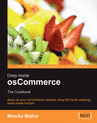
    OSC MonikaOne of the shopping cart systems we utilize often is OSCommerce,
    for many reasons. One, it’s been around a long time and is very stable
    and there are a lot of plugin contributions readily available. Two,
    it’s open source. And three, we work regularly with an amazing
    OSCommerce programmer – Monika, who recently wrote this book.

    It
    does a great job of providing easy to understand instructions on how to
    modify the OSCommerce shopping cart. I recommend it heartily and if you
    are interested in customizing OSCommerce – this is a must have book.

  5. Antivirus, AntiSpyware and other Goodies!

    In this edition we will be discussing
    free anti-adware, anti-virus, anti-spyware and other utilities to make
    your computer run more smoothly.

    Sure, you’ve heard about
    adware, spyware and computer virii, and no doubt you’ve experienced the
    frustation that these little nasties can produce when they infest your
    computer. But what can you do to protect yourself?

    1. Don’t open
    emails from people you don’t recognize. This is probably one of the
    most common methods that virii and spyware spread. If possible, set
    your email program settings so that they will not automatically
    download images or run scripts. These things can either cause
    infestation, or confirm to spammers that your email address is a
    legitimate one.

    2. Don’t use Internet Explorer. Most online
    virii and spyware is designed to take advantages of security holes in
    IE. There are plenty of other browsers out there that provide just as
    good of a browsing experience(if not better). Here are links to a few
    that are free for you to download and install:

    3.
    Avoid clicking on pop up banners or other annoying advertisements as
    you surf. These ads are often misleading and can trick you into
    installing unwanted software on your computer.

    4. Be weary of
    emails you get promising SUPER deals, or emails claiming that an
    account you have with your bank, Paypal or eBay is about to be closed
    out if you don’t click on this link and update your profile. This is
    usually a trick to get your account information. If you are concerned
    that an account of yours is in poor standing, contact the company
    directly by phone or from a website you know to be theirs.

    5.
    Regularly update your operating system. Windows, MacOS, and Linux all
    provide means to automatically update your system periodically. These
    updates often fix security holes.

    6. Regularly run an antivirus
    program and make sure to schedule it to download recent virus
    definitions. Here are a few free antivirus programs, but there are many
    good ones to choose from that are reasonably priced, as well.

    7.
    Spyware is software that gets onto your computer and monitors the sites
    that you visit and can even log data you type in(like credit card
    numbers!). The worst part is most antivirus softeware won’t remove it.
    So it is also important that you regularly run spyware removal
    software. Here are a few free alternatives:

    So hopefully these tips will arm you for the war against spyware, adware and computer virii.

    Also,
    Technigrafa is proud to announce that we now provide web hosting plans
    starting at only $20 a month! Our server is at a class A data center in
    Research Triangle Park and is backed up daily and backed up off-site on
    a weekly basis. Our plans include many of the features that other
    hosting companies charge extra for, like spam blocking and antivirus
    support for your email.

  6. Welcome – Purpose

    Hello and thanks for visiting my blog!

    Why am I blogging?
    I own Technigrafa – a print design, web design and web hosting company in Raleigh, NC
    and I decided it might benefit our clients to have a blog where I can
    post general tips on websites, business promotion, or just cool stuff
    that I have run into.